MAC Address or Serial Number – Which One to Send?
An exacqVision license is always created for one particular server, identified by its MAC address or – on Exacq hardware – its serial number.
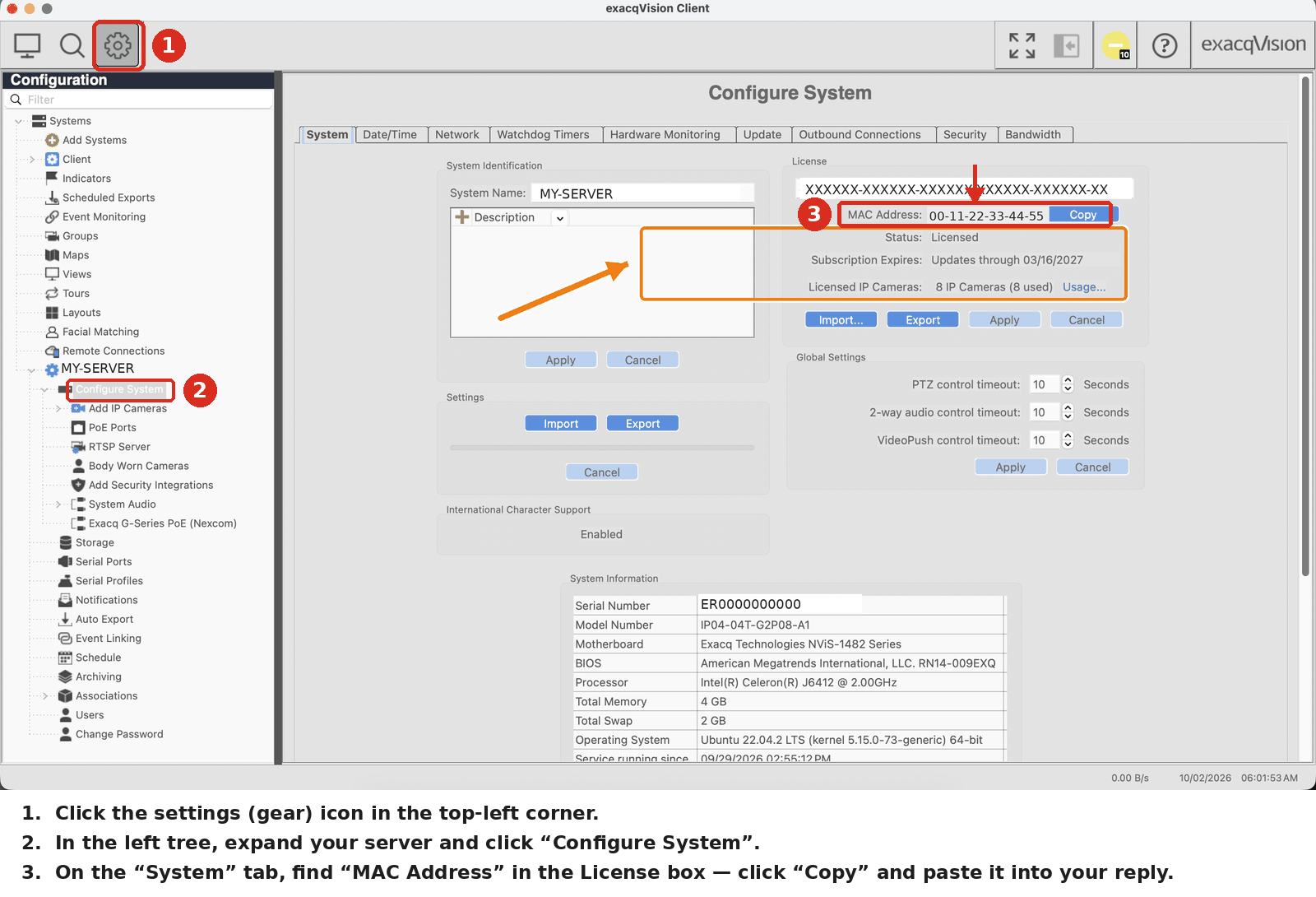
Copying the MAC address
- Click the gear icon at the top left of the exacqVision Client.
- Expand the server and choose Configure System.
- In the License box on the System tab, press Copy next to MAC Address.
One-page PDF · full MAC address guide
Your own or third-party hardware
Send the MAC address from the License box – twelve hexadecimal characters such as 00-1A-2B-3C-4D-5E.
Exacq-built recorders
The serial number of the Exacq server is enough on its own – we can look up the rest.
Several network cards and not sure which one? Ask before ordering and we will check it with you. The MAC address is entered when ordering EVIP-01 or EVENIP-01.